Why a AI Short-Prompt Command Dictionary May Be More Cost-Effective Than Traditional AI Training
2026-10-05
Organisations are investing heavily in AI training.
• Workshops.
• Webinars.
• Remote courses.
• Internal champions.
• Prompt-engineering sessions.
• Refresher training.
All of these can be useful.
But there is a question businesses should be asking:
What happens after the training ends?
Because teaching somebody how to use AI for two hours is very different from helping them use AI effectively every day.
That gap is where the cost starts to grow.
Training has a shelf life
Traditional AI training usually happens at a fixed point in time.
Employees attend a session, learn several techniques, see demonstrations and perhaps complete a few exercises. Then they return to work.
A week later, they face a completely different task. They need to:
• write a complaint response.
• Create a recruitment advert.
• Produce a marketing campaign.
• Summarise a report.
• Prepare a presentation.
• Write a sales email.
• Generate an image.
And suddenly the question becomes:
“What was I supposed to type again?”
This is not necessarily a training failure.
It is a memory problem.
People cannot reasonably be expected to remember dozens — let alone hundreds — of prompting techniques for tasks they may only perform occasionally.
The hidden cost of retraining
AI is moving quickly. Platforms change.
Features change. Models improve. New capabilities appear.
That means organisations relying heavily on formal AI training may find themselves repeatedly paying for:
• updated courses
• refresher sessions
• new training materials
• staff time away from normal duties
• onboarding for new employees
• specialist trainers
• internal support when people get stuck
Remote training reduces travel costs, but it does not remove the fundamental issue.
The employee still has to remember what they were taught later.
And if they cannot, the organisation is back to square one.
Access to AI is not the same as effective use
A company can give every employee access to ChatGPT, Claude, Gemini, Copilot or another AI system.
That does not automatically mean everyone knows how to use it effectively.
One person might write:
“Can you help me with marketing?”
Another might spend ten minutes constructing a detailed prompt.
Another may simply avoid using AI because they do not know where to begin.
The real barrier is often not access to the technology.
It is knowing what to ask it to do.
What if the instruction was available when the employee actually needed it?
This is where a searchable AI short-command dictionary changes the economics.
Instead of trying to teach employees hundreds of possible prompts in advance, you give them access to the instruction at the point of need.
• Someone needs to create a press release?
• Search the task.
• Someone needs to respond to a customer complaint?
• Search the task.
• Someone needs an advert, job description, meeting summary, policy draft or social post?
With XpressPrompts tthey just
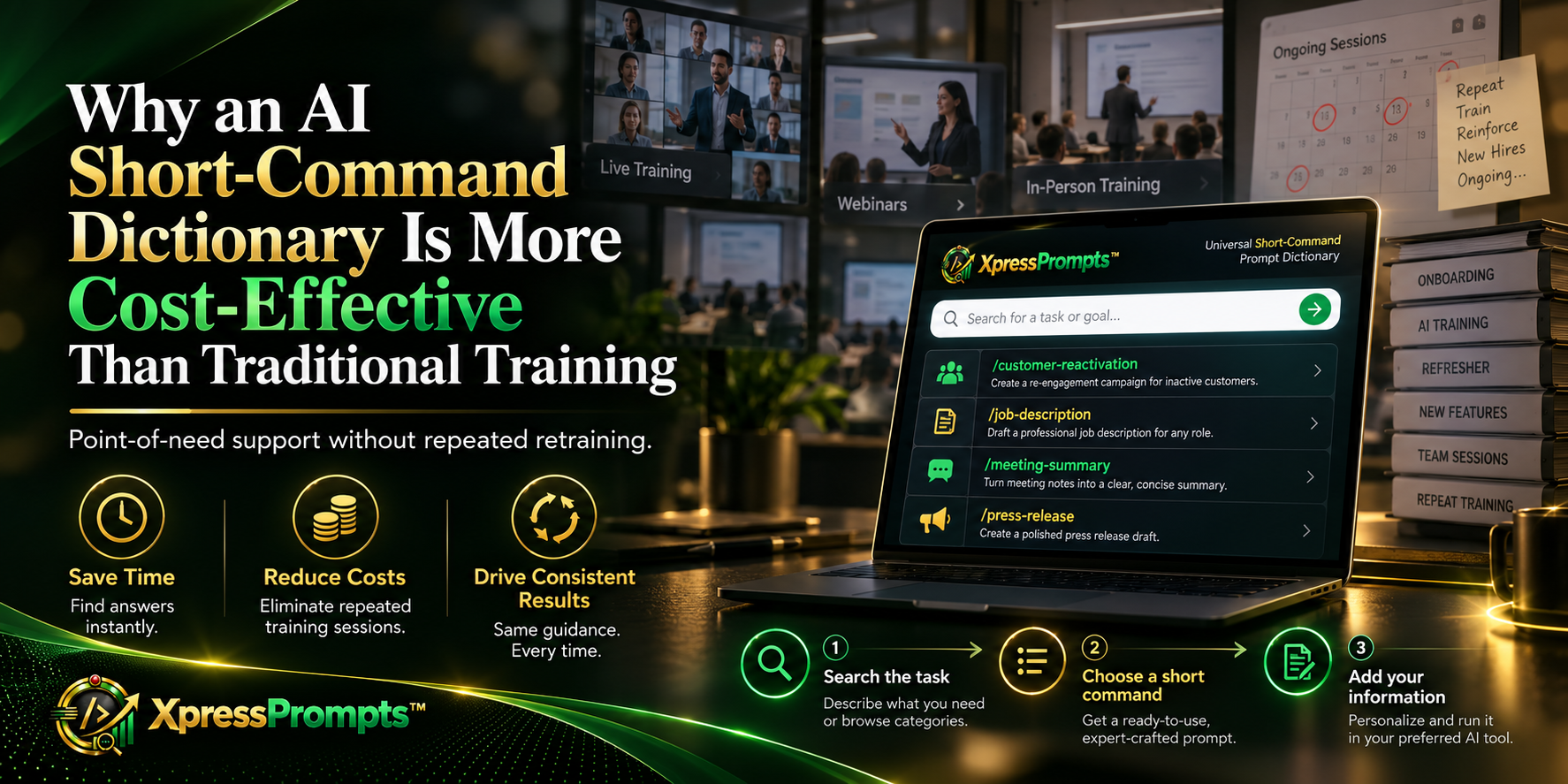
• Search the task.
• Choose the appropriate short command.
• Add the relevant information.
• Send it to their AI agent
That turns prompting from something employees have to remember into something they can retrieve.
That is a very different model.
Training teaches. A searchable tool supports execution.
There is an important distinction here.
Training is designed to transfer knowledge.
A searchable command dictionary is designed to help someone complete the task in front of them.
The two are not necessarily competitors but, from a cost perspective, a persistent tool can reduce the need to repeatedly train people on every possible use case.
You can teach the fundamentals once:
• What AI is.
• What it can and cannot do.
• How to verify outputs.
• How to handle confidential information.
• How to use it responsibly.
Then give people a practical task layer that helps them communicate with AI afterwards.
That may be a more scalable approach than trying to turn every employee into a prompt specialist.
One resource can support many departments
Another cost advantage is breadth. Traditional training is often delivered by department.
Marketing gets one session.
HR gets another.
Sales gets another.
Administration gets another.
Managers may require something different again.
A well-structured searchable short-command dictionary can support all of them from one searchable environment.
Marketing might search for campaign-related commands.
HR might search recruitment or staff-management tasks.
A manager may need reporting or feedback support.
An administrator may need emails, minutes or document summaries.
An individual user may simply need help writing a CV, planning a project or organising personal tasks.
The underlying principle is the same:
Find the task. Find the command. Add the context. Get to work.
It also helps with employee turnover
There is another cost that rarely gets discussed.
People leave.
New people join.
Every new employee who requires AI training adds another onboarding requirement.
A persistent searchable resource does not disappear when somebody changes role or leaves the company.
The organisation retains the capability.
A new employee can be introduced to the system and begin searching for the tasks relevant to their job.
That creates consistency across teams without requiring every new starter to sit through the same extensive prompt-training programme.
It can reduce dependence on “AI experts”
Many businesses are beginning to develop small groups of employees who are much more confident with AI than everybody else.
That can be useful. But it can also create a bottleneck.
Soon everyone is asking the same few people:
“What should I type?”
“How do I ask AI to do this?”
“Can you write the prompt for me?”
At that point, the organisation has simply created a new internal support desk.
A searchable short-command system helps distribute that capability.
Employees become less dependent on knowing the right person.
They can find the instruction themselves.
The value is in repeated use
The economics become particularly interesting when you consider frequency.
A training course may last an hour, a day or several weeks.
A searchable dictionary can potentially be used every working day.
The same person might use it in the morning to write an email, later to structure a report, and in the afternoon to prepare a social post.
That means the value is not concentrated in the training session.
It continues each time the employee has a task.
And unlike a course, the user does not need to remember the lesson.
They simply search again. This is why we built XpressPrompts
This is the thinking behind XpressPrompts.
We did not build it to replace all AI training.
Organisations still need policies, governance, responsible-use guidance and basic AI literacy.
But employees also need something much more practical:
A way to know what to ask AI when they are actually doing the work.
XpressPrompts is a searchable short-command prompt dictionary.
Users search for the task they need help with, choose a short command, add their own information and use it with AI platforms such as ChatGPT, Claude, Gemini, Copilot and others.
• No requirement to memorise hundreds of prompts.
• No requirement for every employee to become a prompt engineer.
• And no need to keep retraining someone every time they encounter a different task.
Perhaps the most cost-effective AI training is not more training
The next phase of AI adoption may require organisations to rethink what “training” actually means.
Instead of asking:
“How do we teach everybody every possible prompt?”
Perhaps the better question is:
“How do we make the right instruction available whenever somebody needs it?”
Because sometimes the most scalable way to improve AI capability is not to teach people more things to remember.
It is to give them a better way to find what they need.
XpressPrompts — Better Prompts, Better Commands, Better Results.
Talk to AI in shorthand.
www.xpressprompts.app
Bridging the gap between your software investment and daily workforce execution is the single fastest way to turn AI from an administrative experiment into a tangible margin driver.
We invite you to schedule an Executive Briefing with our team. To review our complete enterprise catalog or discuss a targeted departmental pilot for your workforce, please contact our enterprise enablement team directly at: web.aipromptshortcuts.app/enterprise